

Without Momentum
- Manual route planning
- Longer drive times
- Frequent backtracking
- Separate scheduling and routing
- Multiple apps and tools
- Harder to handle last-minute changes
- Higher fuel costs and lower productivity
FIELD SERVICE ROUTING
Automatically optimize technician routes, reduce drive time, and keep service teams moving efficiently with route planning, real-time adjustments, and turn-by-turn directions built into Momentum FSM.
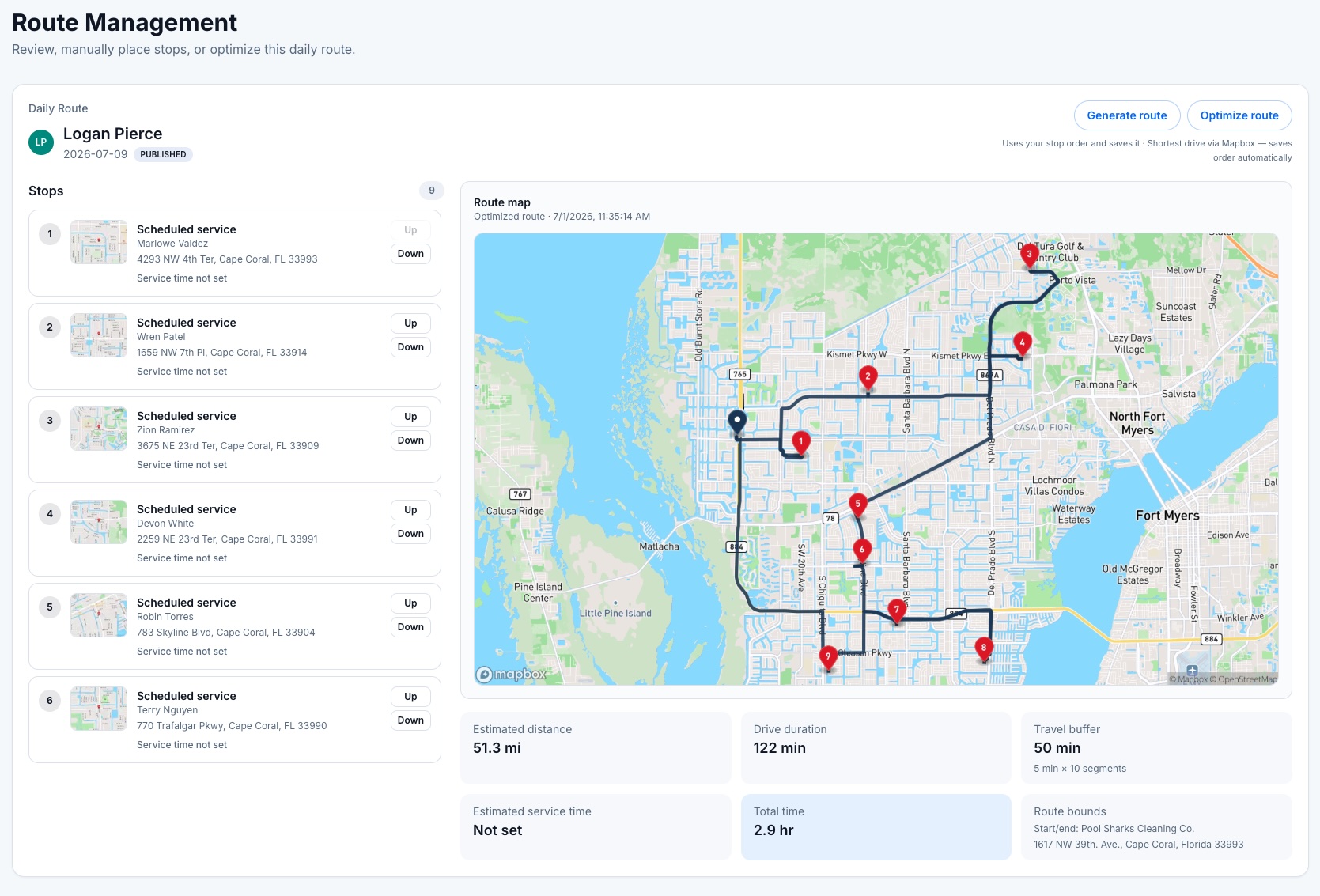
Turn scheduled jobs into efficient daily routes without hours of manual planning. Momentum analyzes customer locations, technician assignments, and scheduled appointments to optimize stop order, reduce unnecessary travel, and keep workloads manageable throughout the day.
Automatically optimize daily routes
Reduce drive time and unnecessary mileage
Balance technician workloads
Adjust routes as schedules change
See how Momentum transforms scheduled service calls into efficient, optimized routes that keep technicians productive from the first stop to the last.
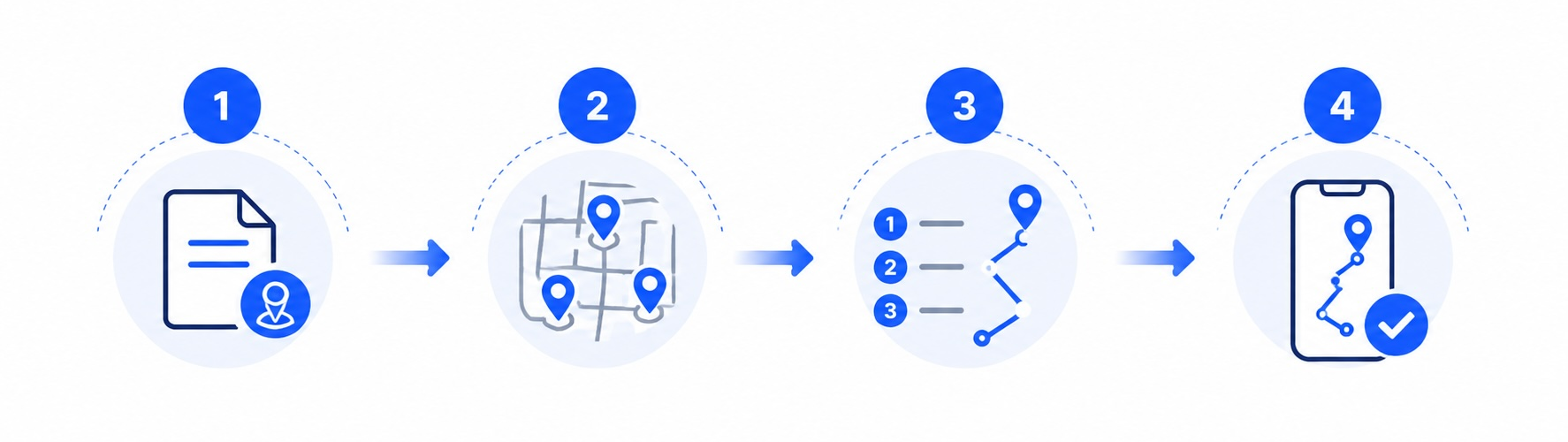
Review scheduled visits
Start with scheduled jobs, technician assignments, and customer locations for the day.
Group nearby work
Organize visits by neighborhood, service area, or technician territory.
Optimize technician routes
Automatically generate an efficient stop order that reduces unnecessary travel and backtracking.
Send routes to the field
Give technicians their assigned stops and turn-by-turn directions in the mobile app.
1Review scheduled visits
Start with scheduled jobs, technician assignments, and customer locations for the day.
2Group nearby work
Organize visits by neighborhood, service area, or technician territory.
3Optimize technician routes
Automatically generate an efficient stop order that reduces unnecessary travel and backtracking.
4Send routes to the field
Give technicians their assigned stops and turn-by-turn directions in the mobile app.
Once routes are optimized, technicians receive updated stop lists instantly so the office and field stay synchronized throughout the day.
Organize jobs geographically, balance daily workloads, and keep field teams moving efficiently as plans change.
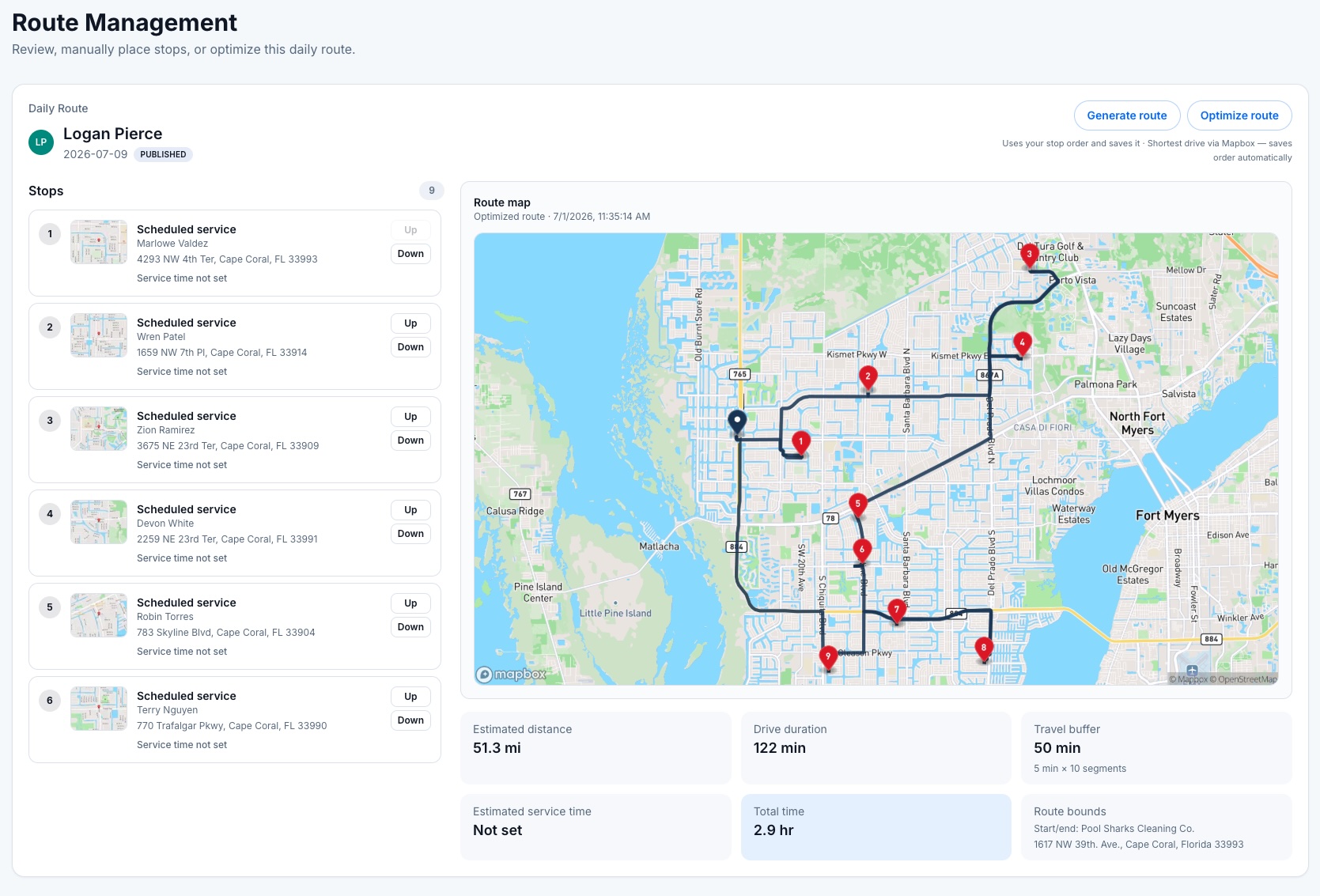
Automatically calculate efficient stop order to reduce drive time, unnecessary mileage, and backtracking.
Group nearby jobs by neighborhood, ZIP code, or service territory to keep technicians working efficiently.
Reorder stops, reassign work, or accommodate urgent service calls as the day changes.
Distribute jobs across technicians and crews based on availability, location, and daily workload.
Give technicians directions from each scheduled stop directly through the Momentum mobile app.
Build routes directly from scheduled jobs without recreating customer, property, or appointment information.
The Momentum difference
Replace manual route planning and disconnected tools with one system for scheduling, optimization, dispatch, and technician navigation.

Explore connected features
Routing works even better when combined with the rest of Momentum.
Optimize technician routes, reduce drive time, improve daily productivity, and help your team complete more service calls with Momentum FSM.
No credit card required · Cancel anytime